
How RCS sends
Three things decide whether a message can go to a number:- A bot for its country. On FireFlo’s bots, a number goes to the bot routed to its country for your account, or else to your bot that covers that country. On your own provider account, it goes by your routes. A number in a country no bot covers is skipped. A number’s country is read from the same country list used for prices, so the bot chosen and the price charged always agree.
- The bot. Each bot is approved by the provider for some countries, chosen from a list (several per bot; a country can be on several bots), and is of one type: Promotional, Transactional or OTP.
- The template’s approval on that bot. Every bot approves templates separately. If the routed bot hasn’t approved the template yet, that number is skipped, with the reason.
How you connect
Open RCS → Settings. Under How you connect, choose one of two:- FireFlo's bots
- My own provider account
Bots FireFlo runs. Nothing to set up. Your bots lists the bots you may use, with
the countries each sends to and its approved templates; ask FireFlo, or your
reseller, to add one. There is no Routes section: each country goes to the bot
that covers it, and FireFlo changes routes for you when needed.If Settings says FireFlo hasn’t routed a bot for you yet, ask support@fireflo.au.A bot that several customers share is send only: replies to it reach no
customer, so they don’t come to your Inbox. Send RCS and the bot’s card say so.A bot FireFlo sets up for your account alone sends only for you, so its replies
always reach your Inbox. It is charged like any of FireFlo’s bots. Your RCS settings
(Channels → RCS) show each such bot and its health, with no credentials or set-up
to manage:
- whether it is connected to the provider;
- whether delivery reports are arriving;
- the last message sent;
- whether replies reach the Inbox;
- whether the provider has slowed sending.
Bots
On your own provider account, Add bot under Your bots (on Jio, the connection’s one Assistant is its bot):- Bot id, from your provider;
- Name, as the bot shows on phones;
- Type: Promotional, Transactional or OTP;
- Countries: the countries the bot is approved for, chosen from the list.
Send rate
A connection can have a Messages per second limit, shared by everything that sends through it. Jio connections start at 10 a second; SmartPing has no limit unless you set one.Routes
On your own provider account, the Routes section lists, for each country you can reach, the bot that sends there and whether the route is Yours or the FireFlo default. To add one, pick a Country and a Bot, then Add route. Your own route for a country takes the place of FireFlo’s default; removing it brings the default back. Routing is by country. The Operator column reads “Any”.Write templates
RCS sends approved templates only — never typed text. See RCS templates to write one and submit it to your bots.Send RCS
RCS is sent from the Send page, which works the same way for every channel: Who, From, Message and When, with the message drawn on a phone. RCS → Send RCS opens it with RCS chosen; its own address still works. It sends one approved template.1
Who
Type numbers or pick contacts, or choose a file (CSV, XLSX or XLS), a segment or,
with Customer data, an audience. More than 10 typed numbers, a file, a segment or an
audience go through the review and run as a broadcast. Each
number goes through the bot for its country; the page says which bot will send.
2
Template
Choose a template approved by at least one of your bots.
3
Fill the variables
Give a value for each
{{variable}} in the template. With a file, a segment or an
audience in Who, a variable can take a field instead. Where the template takes a
link, Paste a link gives one for everyone, or a column so each person gets their
own; Attach a file stores a file and sends its link. A card’s picture is
approved with the template and can’t change for one send: the form says so and
offers Copy the template.4
Check the cost and send
Beside Send, the page shows what it will cost: the amount, or for a reseller’s
customer the units it uses and how many are left, or Billed by your provider on
your own provider account. When sends now or later. Send a test to me sends
the message as filled in to your own number; it is a real message and is charged
like one.
One message to one person, through the API
Your own systems can send one RCS message to one person with the OMNI API’s messages — on its own, or as one of a message’s steps such as RCS, then SMS. It goes the same way a broadcast’s row does: the person’s country picks the bot, and the template must be approved on that bot. When it can’t go — no bot for their country, the template not approved there — the message’s next step is tried. Delivery and reads are reported, so a step can wait for either, and the message is filed in the person’s Inbox thread.Replies, taps and the Inbox
- A reply lands in the Inbox, in the person’s RCS thread, with the broadcasts they were sent filed into it.
- A tap on a quick reply (suggested reply) button is a reply: an unread message in the Inbox that agents, tickets and workflows see, as a WhatsApp button press is. Taps on every kind of button are counted for the broadcast’s figures.
- The Inbox shows sent, delivered and read ticks on RCS messages, failures in words, and places and files the person sends.
- You can send an approved template from inside the conversation, from ⋯ → Template in the reply box; Advanced shows the bot it goes through. Typed free-form replies stay off on RCS.
- Replies to a bot that several customers share reach no customer (see How you connect).
The RCS dashboard
RCS → Dashboard is laid out like every channel’s dashboard: pick Today, 7 days, 30 days or Custom, and each figure is compared with the period before.- Sent, Delivered on RCS (the share of messages that got an answer), Read — which says its base, such as “3 of 4 delivered” — Button taps and how many people tapped, Replies, and Cost, shown only to people who may see Billing.
- Messages per day, and the path from sent to reply: sent, delivered, read, tapped and replied. Tapped counts people, not taps.
- What went wrong, by country, when people tap, recent broadcasts with their button taps, the most tapped buttons, by kind of message, your bots and templates, and a short To do.
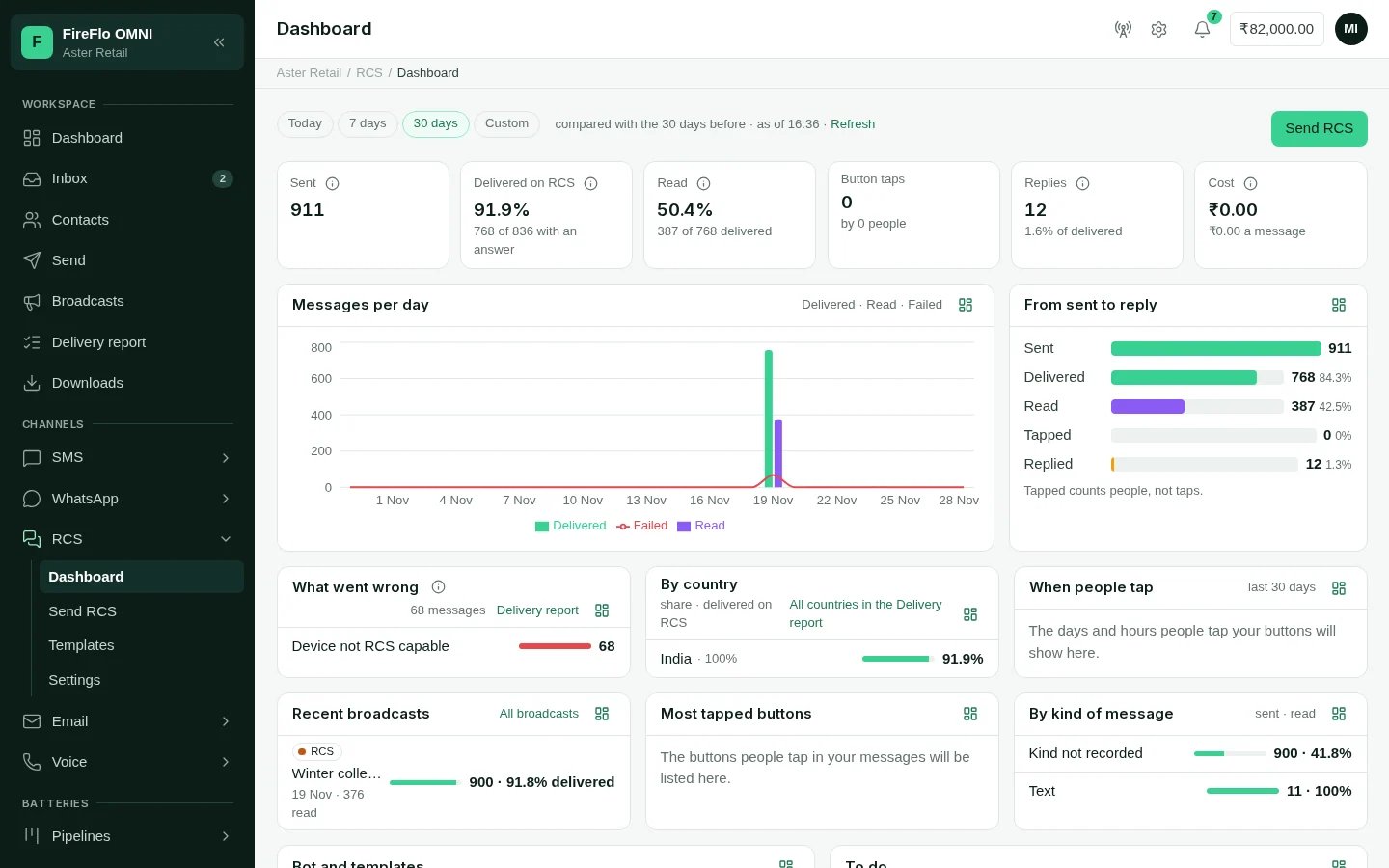
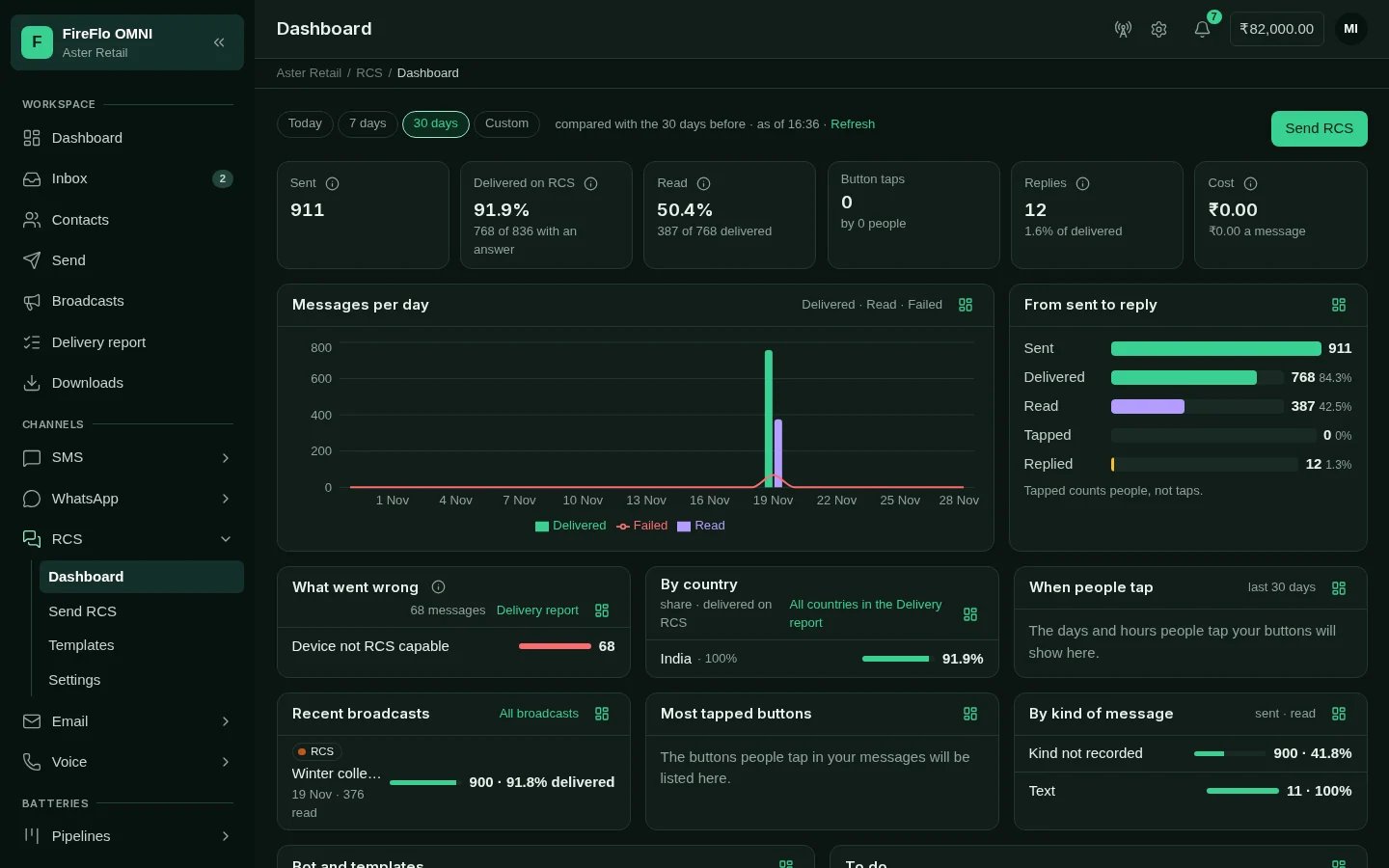
The RCS dashboard: six figures, messages per day, the path from sent to reply and each broadcast's taps.
Opt-outs
STOP stops a person on every channel; do-not-contact and quiet hours are always honoured. With the Customer data battery, people can stop RCS alone, or RCS marketing alone. When a person unsubscribes in their messaging app and the provider tells OMNI, that stops RCS only, not SMS or WhatsApp. A later subscribe from them lifts it. Unsubscribes from a shared bot are applied too.What batteries add on RCS
RCS works with no battery at all. Each one below adds to it when it is in your plan.
Calendar adds nothing on RCS.