
- Projects → Posts — posts planned on a calendar and published to the places you pick.
- Projects → Campaigns → Ads — ad campaigns, their ad sets and ads, with their spend, leads and cost per lead.
- A calendar of every project’s posts.
- Approvals — changes and posts that wait for a second person.
- Landing pages hosted by OMNI, whose forms send each lead into Pipelines.
- Monthly caps on what an ad account may spend.
- Reports and an AI planner.
Posts and the calendar
Write a post once for several places, plan it on the calendar, and get it approved.
Campaigns and landing pages
Campaigns and ads, budgets, rules and caps, and the landing pages that bring in leads.
Social and its platforms
Social names no platform itself. The platforms come from two batteries:
With neither battery on, Social shows posts, landing pages and projects. With Meta,
Google Ads or both on, you connect their accounts and work with their campaigns.
Connecting Meta or Google Ads
Connecting an account takes you to the platform to sign in. That sign-in link works once, only for the person who started it, and for 15 minutes. Once it has run out, start the connection again.Overview
Social → Overview is Social’s dashboard. It follows the same layout as the channel dashboards: pick a period, and each figure is compared with the period before. It shows:- spend, leads and cost per lead;
- sales and revenue;
- first reply;
- the figures by platform;
- the caps;
- the best and worst campaigns;
- posts coming up;
- landing pages;
- projects.
Projects
Social → Projects lists every project with what it uses, its posts and campaigns, its spend and leads, and how much of its budget is used. The figures at the top add up the running projects, the spend, the leads reported by the platforms and the posts published. New project starts one.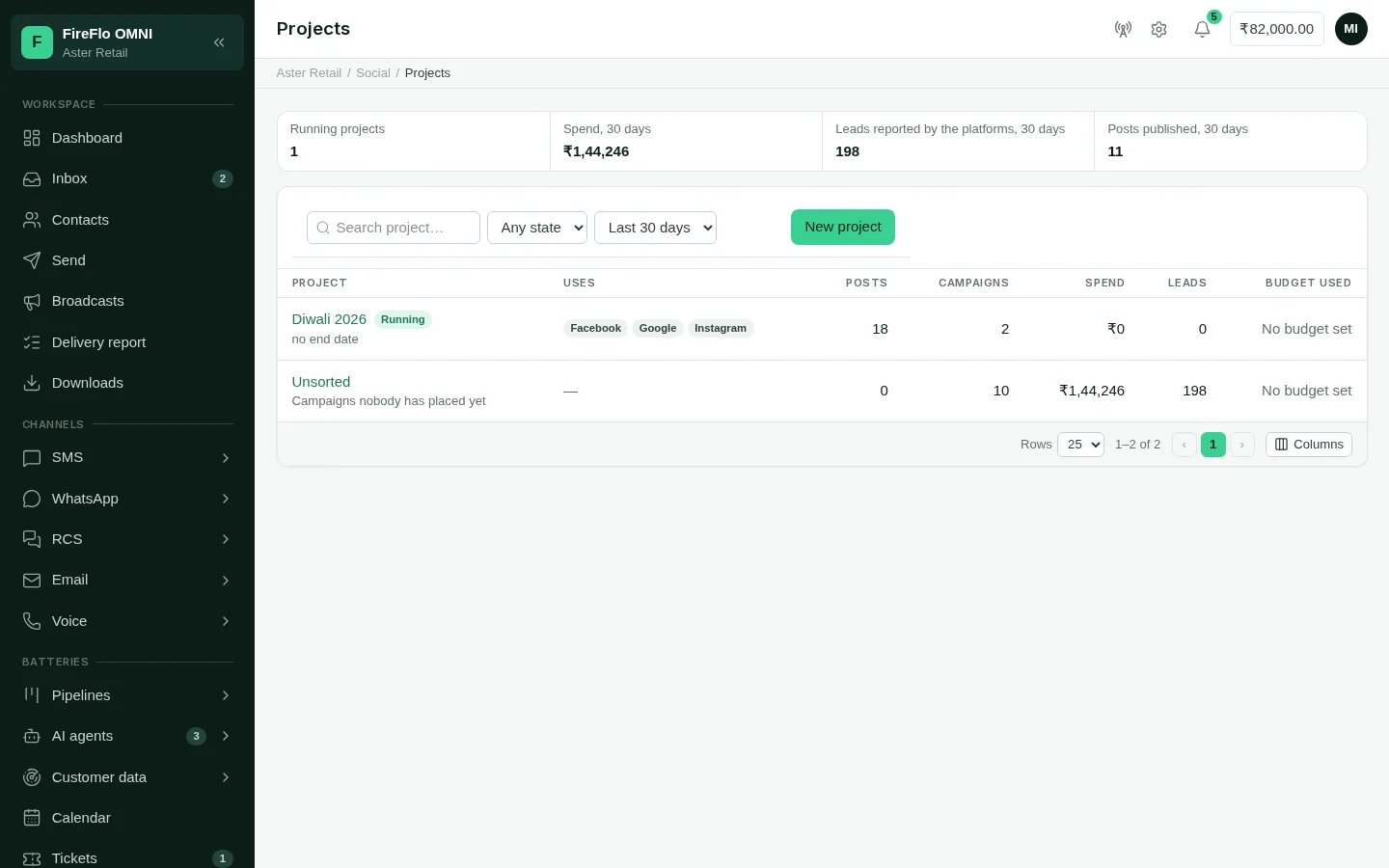
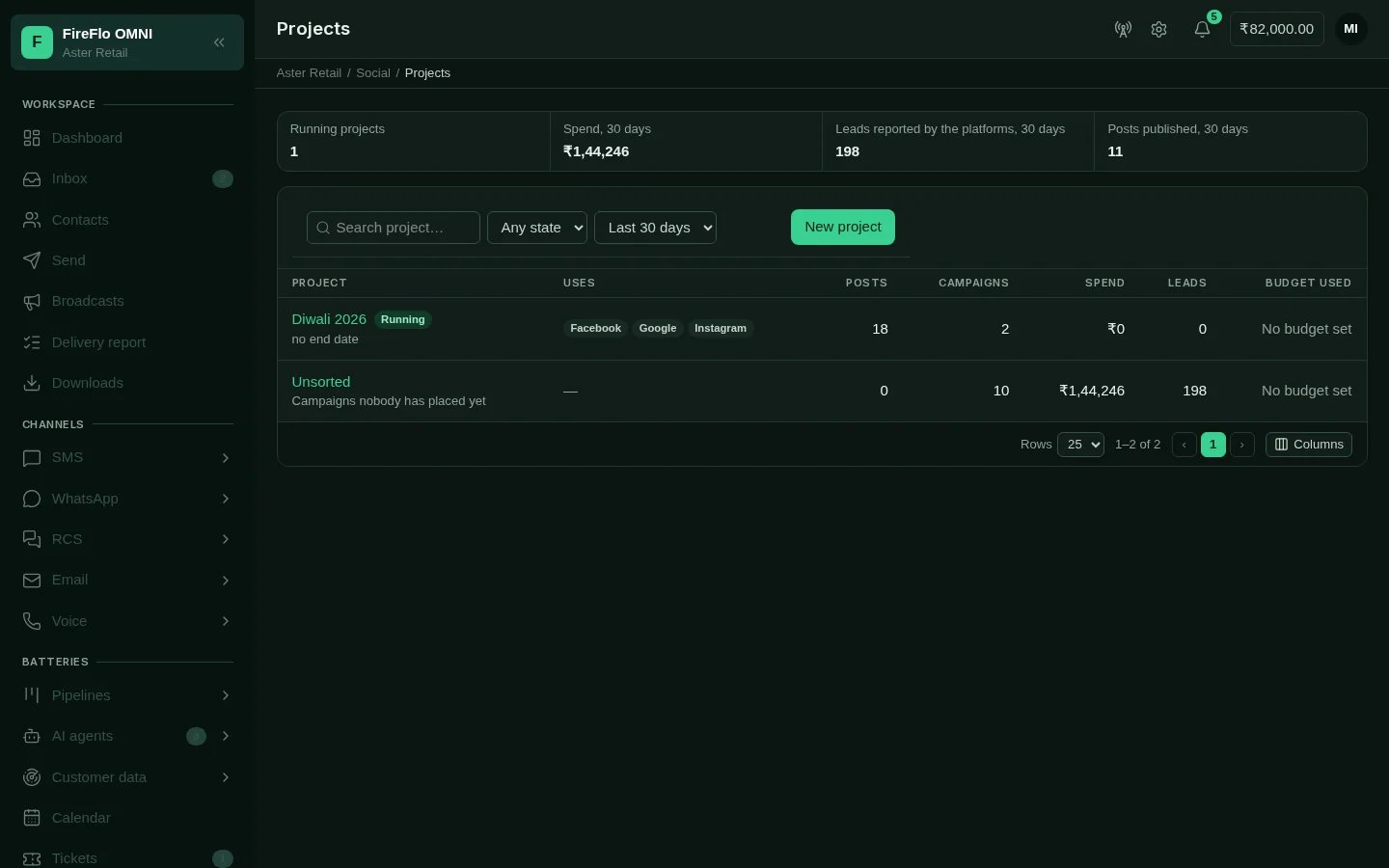
Social → Projects: each project's spend, leads and posts at a glance.
A project
A project shows its spend against its budget, its leads in Pipelines, its sales, its posts and the reach of its posts (people, not views). Its tabs hold its Posts, Campaigns, Drafts, AI plans, Results, Landing pages, Lead forms and Settings. Posts are covered in Posts and the calendar; campaigns, landing pages and lead forms in Campaigns and landing pages. A project can also ask a second person to approve its posts and landing pages.Results
The Results tab answers “what did this project bring, and what did it cost?” Pick a period; the table shows each day’s spend, clicks, leads and cost per lead, compared with the period before.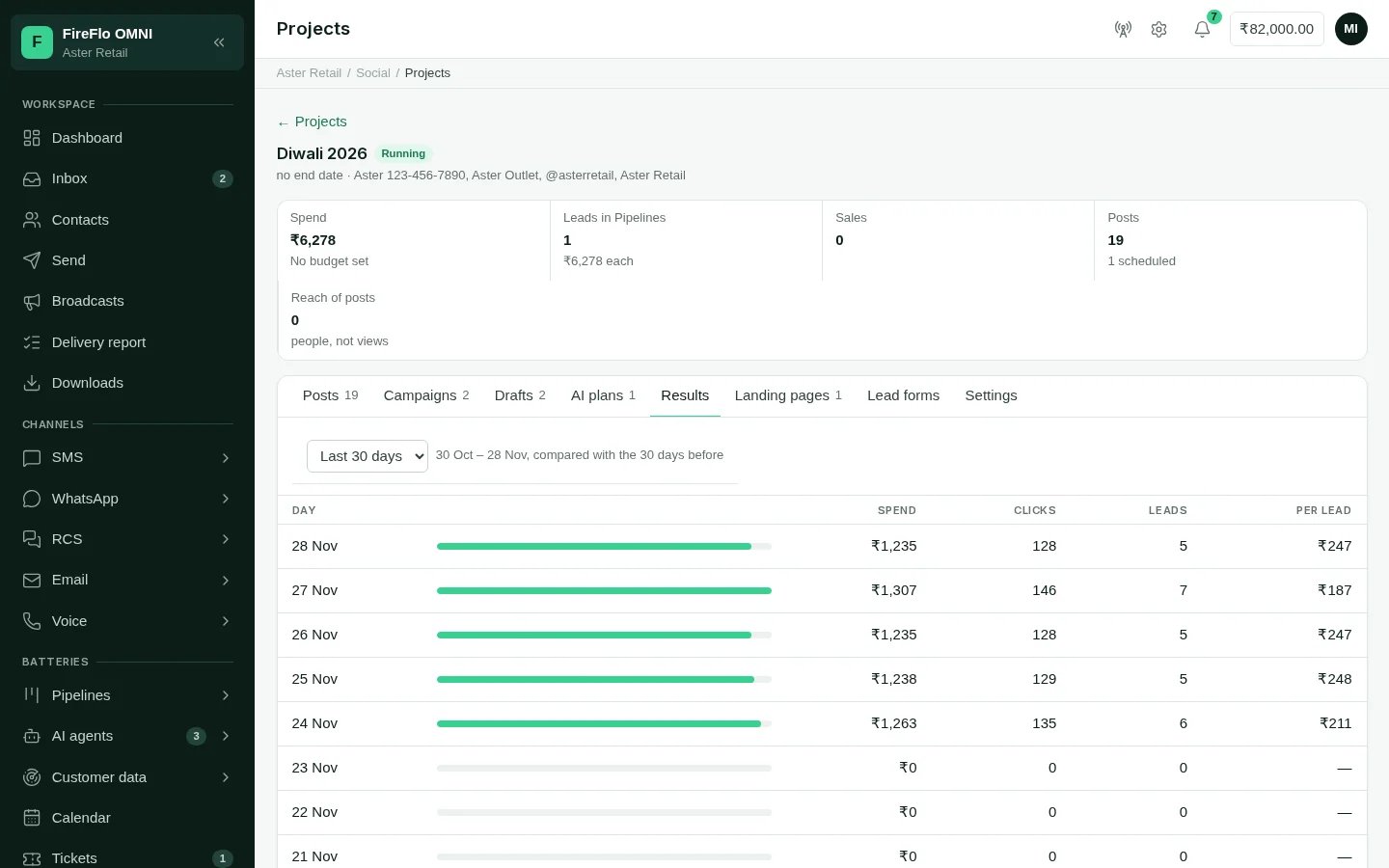
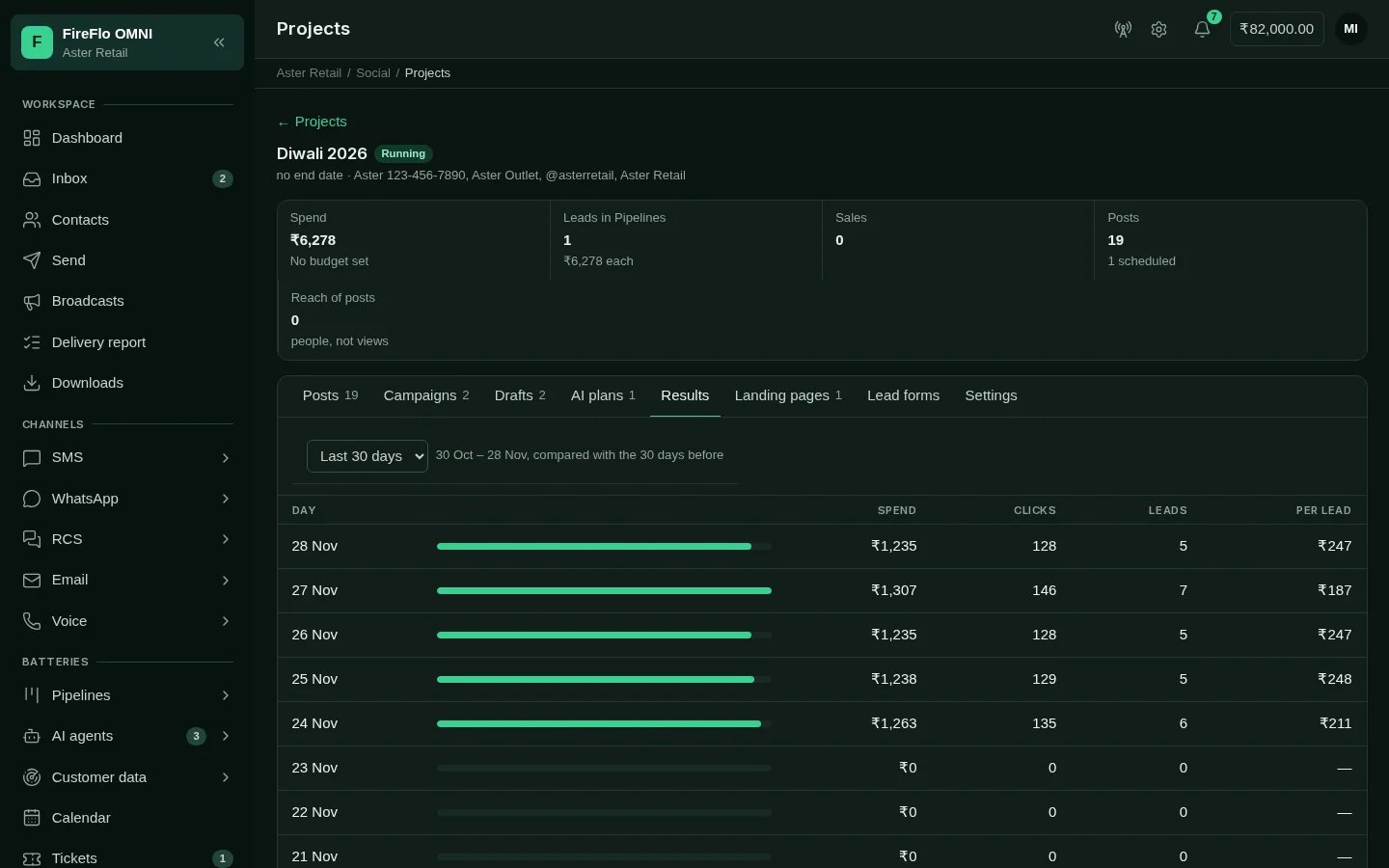
A project's Results: spend, clicks, leads and cost per lead day by day.
Plan and who may
Social is a platform module: FireFlo staff switch it on for your account, along with the
Meta and Google Ads batteries you need. See Plan and modules
for what your account has.