
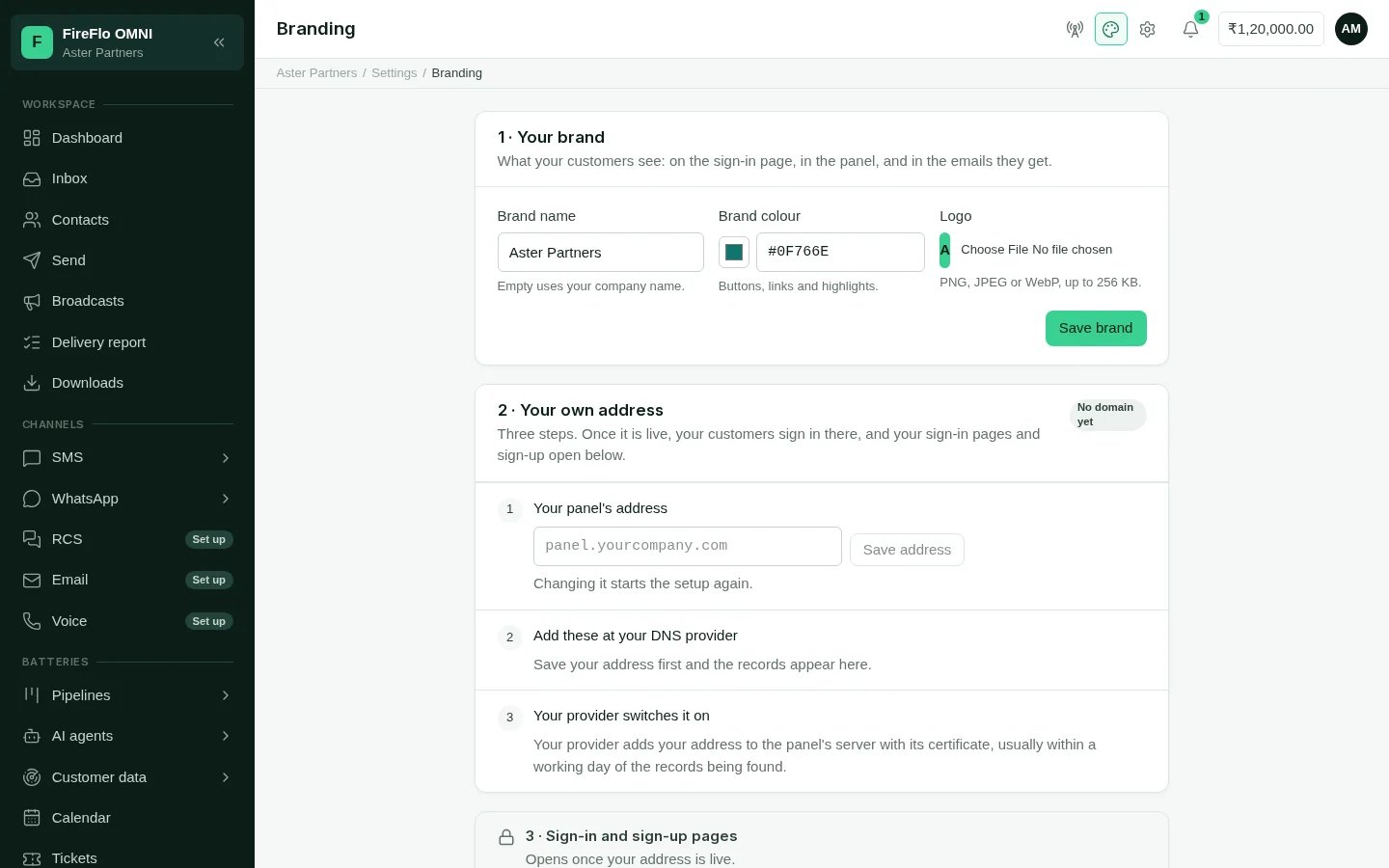
Branding: your brand, and your own web address in three steps.
1 · Your brand
Choose Save brand. What your customers see, at the foot of the page, previews
the result.
Emails to your customers carry your logo, your name and your colour, and their links go
to your address once it is live.
2 · Your own address
Give your customers a panel at an address of your own, such aspanel.yourcompany.com.
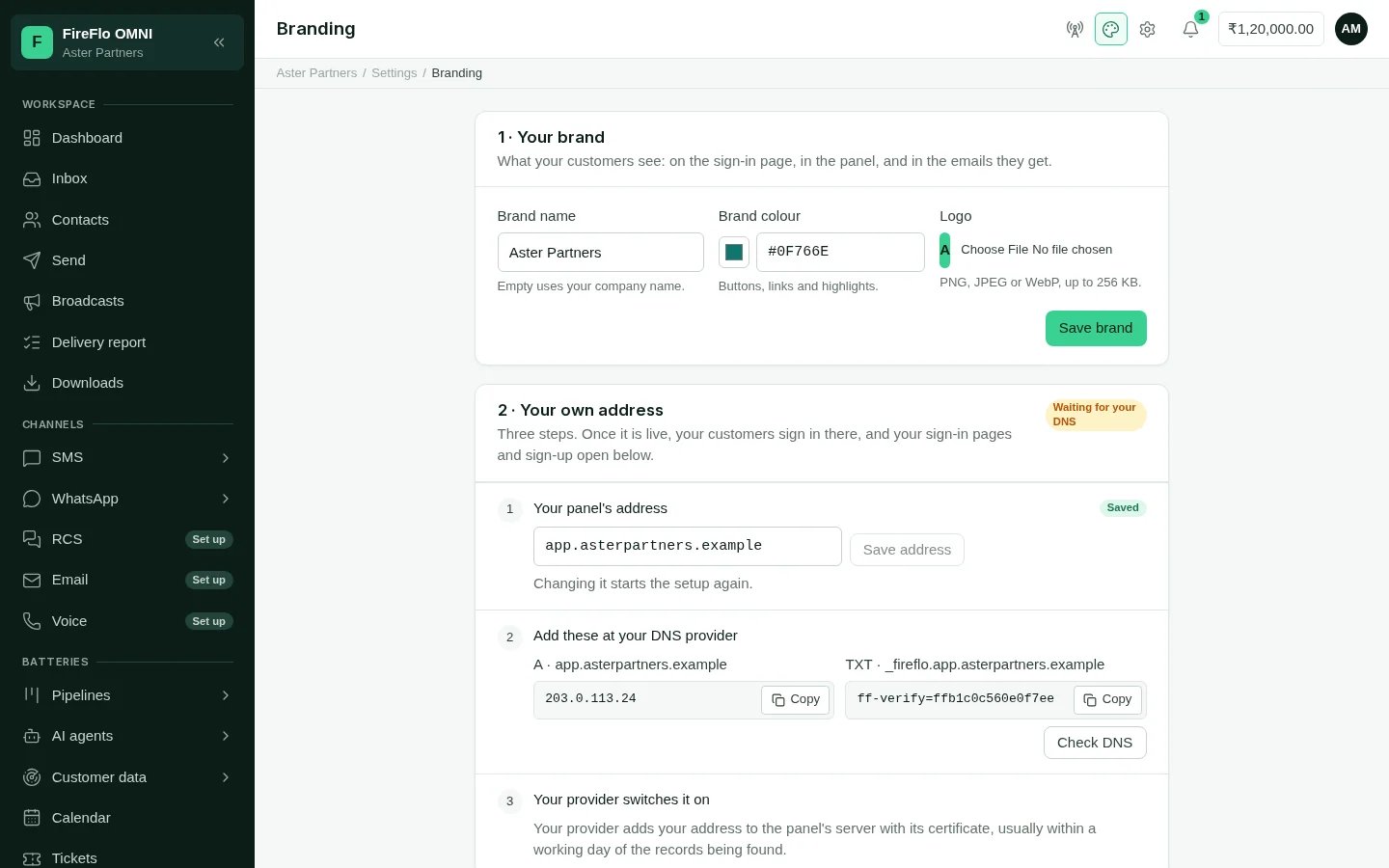
Your own address: the two DNS records to add, each with Copy, and Check DNS.
1
Save your panel's address
Enter the address and save it. Changing it later starts the setup again.
2
Add the records at your DNS provider
The screen shows two records, each with Copy: one that points your address at
your provider’s panel, and a TXT record that proves the address is yours. Add
both at your DNS provider, then choose Check DNS. The status moves from Waiting
for your DNS to Waiting for your provider once both are found.The first record is a CNAME or an A record, as the screen names it. It points
at your provider’s panel: the address of the reseller above you when it has one of
its own, otherwise the main panel. An A record to the same server passes the check
too, for a domain that cannot hold a CNAME.
3
Your provider switches it on
Your provider adds your address to the panel’s server with its certificate, usually
within a working day of the records being found. The status then reads Live.
3 · Sign-in and sign-up pages
Once your address is live, Open designer takes you to the sign-in and sign-up pages designer. The section shows the layout in use, whether a design is published, and whether a tracking code is running. Before your address is live this section is locked, because the pages are shown on your address and nowhere else.4 · Sign-up on your address
New customers can create their own account on your address. Two switches have to be on:- Your provider allows it for your account. The badge reads Allowed by your provider once they have.
- You switch it on with Take sign-ups on your address.
- their account is created under you, as your customer;
- their emails come in your brand, with links to your address;
- you get a notice and an email once they confirm their address, and nothing is sent for them until you approve the account.